
For Harmo to connect successfully, you need to enable password access in your Zendesk panel:
Settings > API > Password access
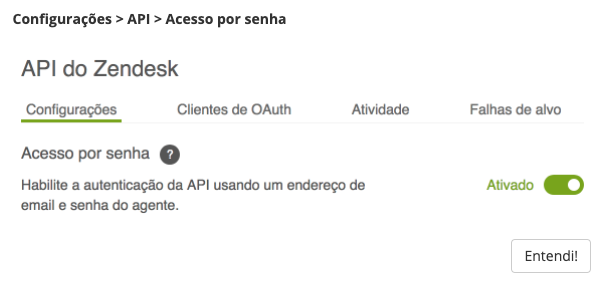
By enabling this option in your Zendesk, Harmo is able to connect with it.
Soon you will be able to do all the configuration and connection of the Zendesk integration within Harmo, meanwhile to make the connection and customize your integration, please contact support or your CS.
HOW IT WORKS
Now that the integration has been done, for each NPS survey responded, we will open a ticket in your Zendesk. If you want to restrict ticket creation, for example, only for detractors or some other variation, please contact your CS or the platform chat and we will help you.